Use this file to discover all available pages before exploring further.
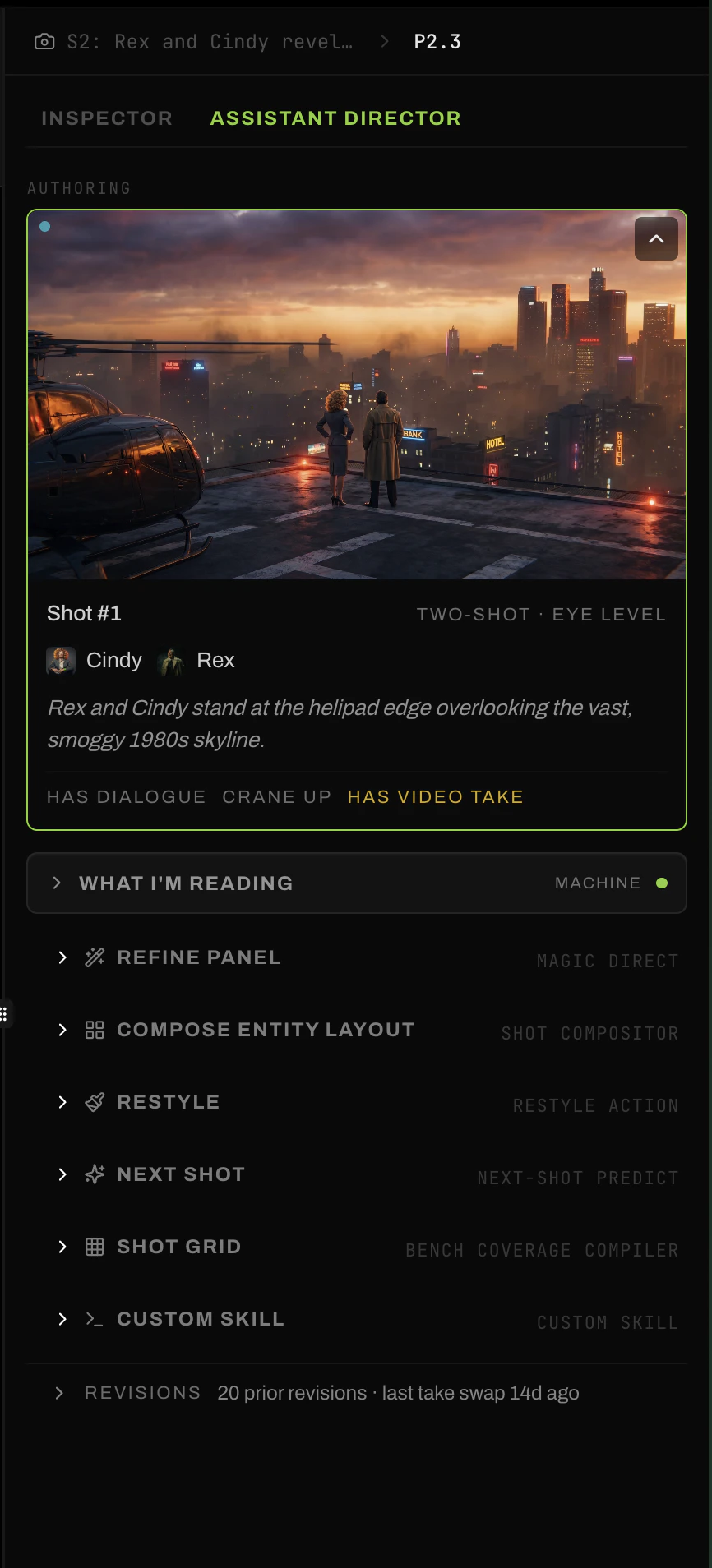
The Assistant Director (AD) is the directorial intelligence woven through Loraverse. It appears as a tab in the Inspector at every depth — scene, beat, and shot — and proposes operations that fit where you are in the production.The AD’s job isn’t to make decisions for you. It’s to read your context and propose what comes next. What coverage a beat needs. What variation a shot is missing. How a take might be refined. What a scene’s narrative arc looks like. You decide what to keep.
The AD shows up at every depth of the production, with operations that match.
At scene depth
Plan Whole Scene. Add New Beat. The story-level moves.
At beat depth
Plan Coverage. Coverage Grid. The director’s shot list.
At shot depth
Refine Panel, Restyle, Next Shot, Shot Grid. The frame-level tools.
The catalog grows over time. Today: scene planning, beat-level coverage, shot refinement, shot variations, motion refinement. Tomorrow: more, including, eventually, operations you author yourself. Custom Skills are the placeholder slot where user-defined AD operations will mount.The AD isn’t a feature. It’s a substrate. Every part of the production has a tab where directorial intelligence lives, and that intelligence grows as the platform and the community grow.You direct the AD the way you’d direct anyone on a real set — with intent, references, and revisions.